GetBotAI
Optimizes AI response times and provides unlimited tab access for seamless browser-based AI interactions.
Are you the owner?
Claim this tool to publish updates, news and respond to users.
Sign in to claim ownership
Sign InDescription
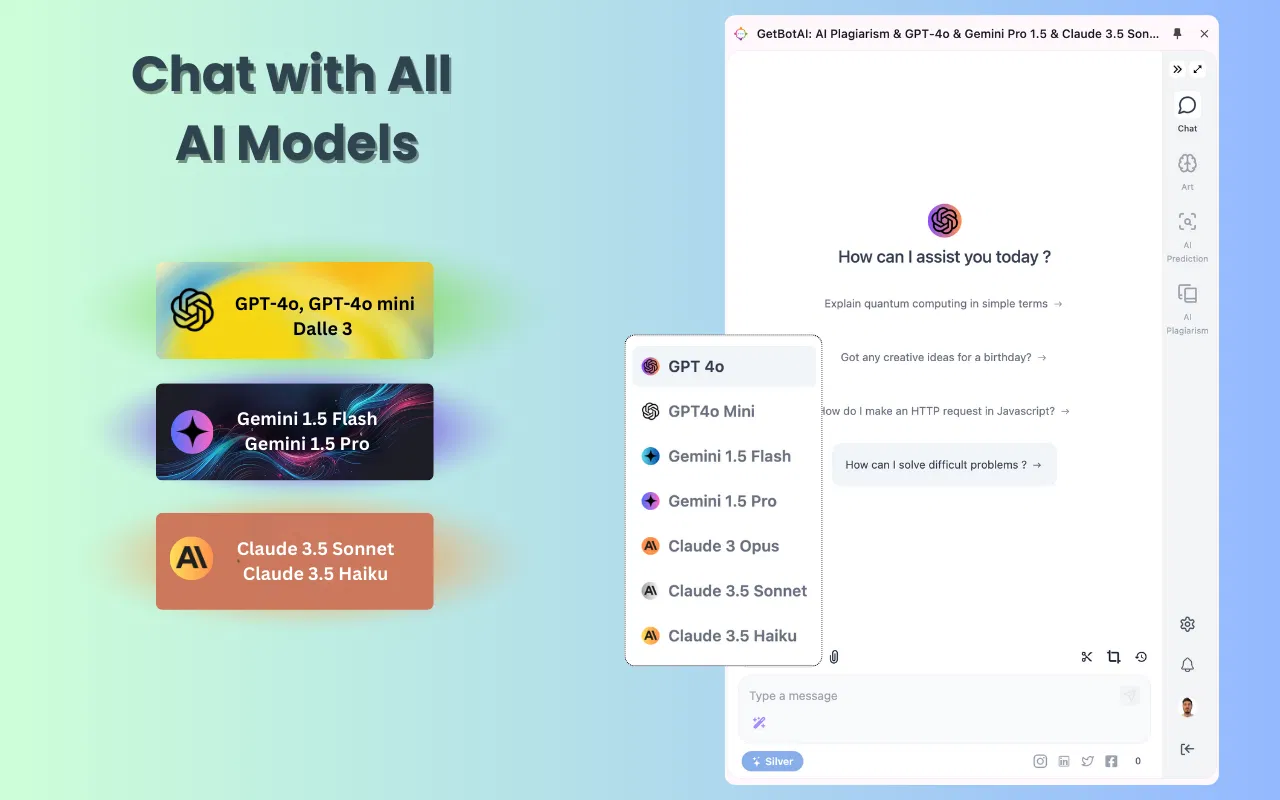
GetBot is a browser extension developed to deliver a seamless and efficient AI-powered user experience directly within the web browser. It prioritizes operational efficiency by significantly optimizing response times, allowing users to access AI-generated information and assistance with minimal delay. The core value proposition lies in its ability to integrate powerful AI functionality into the daily browsing workflow without requiring users to constantly switch between standalone applications or websites, thereby streamlining productivity and information retrieval.
Key features include the ability to manage unlimited simultaneous tabs with AI interactions, ensuring smooth multitasking across different tasks or research topics. It provides quick-access commands and shortcuts for common AI queries, supports context retention across browser sessions for continuous conversations, and offers customizable settings for response length and tone. The tool also includes a built-in history log to review past interactions and the capability to export conversations for further use or documentation.
What makes GetBot unique is its dedicated focus on browser-native performance and low-latency interaction, setting it apart from web-based AI portals that may suffer from slower load times. Technically, it operates as a lightweight extension, compatible with major browsers like Chrome and Firefox, and integrates directly with established AI models to power its responses. It does not require complex installations or high system resources, making it accessible for users with standard hardware while maintaining a clean, non-intrusive interface that blends with the browser's native design.
Ideal for researchers, students, and professionals who frequently conduct online research and require instant AI assistance without disrupting their browsing flow. Specific use cases include quickly summarizing articles across multiple open tabs, obtaining definitions or explanations while reading complex material, drafting emails or documents with AI help directly in web forms, and performing rapid fact-checking or data verification during information gathering sessions. It is also valuable for content creators and developers needing on-the-fly code explanations or creative brainstorming while managing various web-based tools and resources.